Quench SmartCharts
AI Assistant for Legal Nurses and Lawyers
Designing a Platform from Scratch
Quench SmartChart is an AI-powered platform designed to help medical, legal, and insurance professionals review and analyze complex medical records. The product focuses on high-volume case types such as personal injury, malpractice, and workers’ compensation claims. It uses AI to extract key insights from hundreds of pages of documentation and organize them into structured, attorney-ready summaries.
My Role — UX/UI Designer
I designed the core experience for reviewing and analyzing medical records in Quench SmartChart. Working closely with product and engineering teams, I simplified complex workflows, improved information organization, designed an AI assistant to support case review, and helped users connect insights directly to the original medical documents.
My Responsibilities
- Design workflows for reviewing and analyzing large medical records
- Structure complex medical information into clear, easy-to-navigate interfaces
- Design the AI assistant experience for case review and document exploration
- Create wireframes and high-fidelity designs in Figma
- Ensure insights can always be traced back to the original medical sources
- Partner with product managers and engineers to deliver scalable product solutions
- Balance user needs, business goals, and technical constraints throughout the design process
Key Constraints
Predefined color palette
The platform had an existing color palette that needed to be preserved to maintain brand consistency and avoid rework before launch.
Technical constraints
Design decisions had to align with existing architecture and development timelines, requiring close collaboration with full-stack engineers.
MUI component library
The interface was built using the Material UI (MUI) library, which meant designs needed to work within predefined components and patterns.
Limited scope for MVP launch
Major interface changes were intentionally avoided to support a faster MVP release, focusing improvements on clarity, structure, and usability rather than visual overhaul.
Legal nurse consultant (LNC) persona - main focus

Sarah Johnson
Age: 38
Location: Chicago, IL
Education: BSN (Bachelor of Science in Nursing), CLNC Certification
Experience:
- 10+ years in clinical nursing (ER & ICU)
- 5 years in legal nurse consulting
Sarah Johnson is a Legal Nurse Consultant working at a personal injury law firm. She is responsible for reviewing complex medical records and translating them into clear, structured insights that attorneys can use to build strong legal cases.
Her work sits at the intersection of healthcare, law, and analysis, where both accuracy and speed are critical.
Professional Context
Sarah reviews hundreds to thousands of pages of medical records per case, including:
- Emergency room reports
- Radiology and imaging
- Physician notes
- Therapy and follow-ups
- Lab results
Her job is to identify:
- cause of injury
- pre-existing conditions
- treatment timelines
- inconsistencies or gaps in care
Sarah translate complex, unstructured medical records into clear, attorney-ready insights. This includes structured summaries, chronological timelines, and key findings that highlight injuries, treatments, and inconsistencies in the records.
These insights are simplified and organized in a way that allows attorneys to quickly understand the case, identify critical information, and build informed legal arguments without needing deep medical expertise.
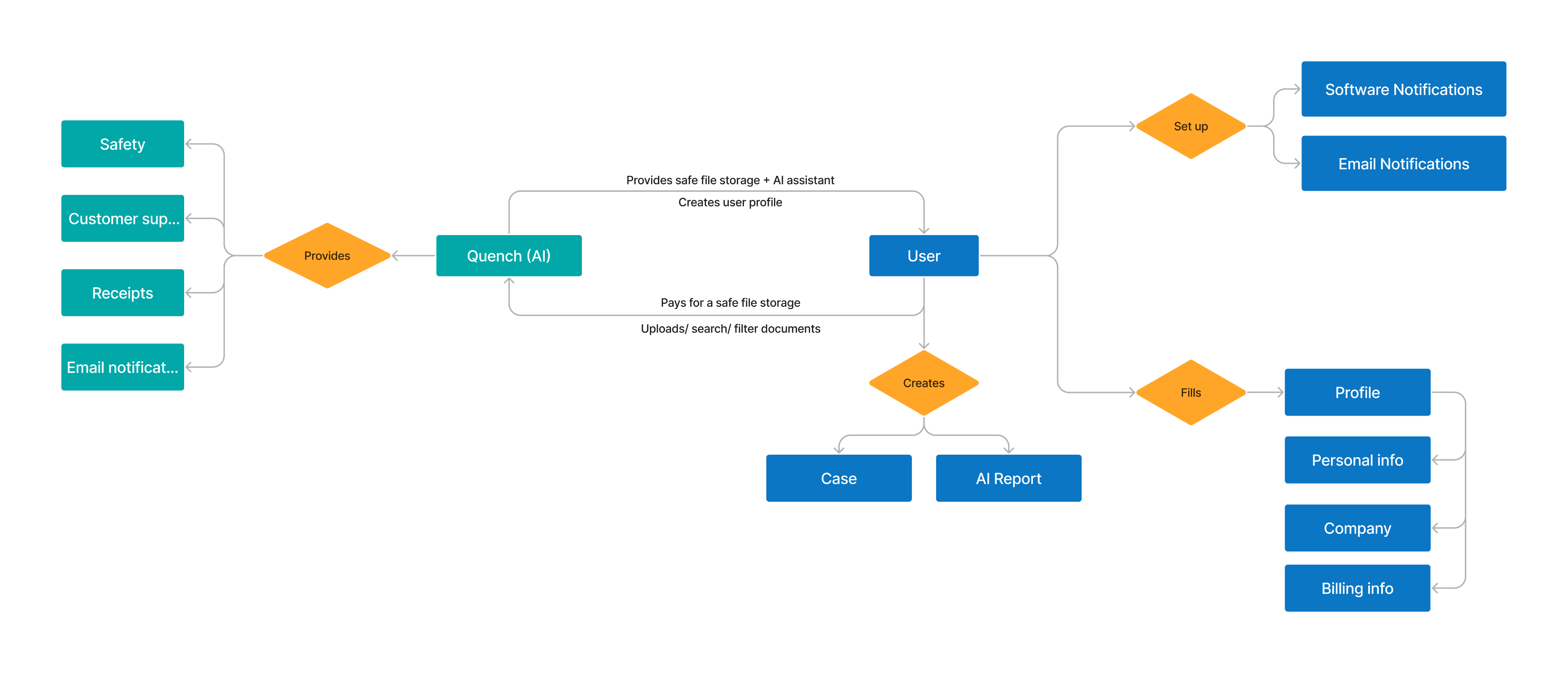
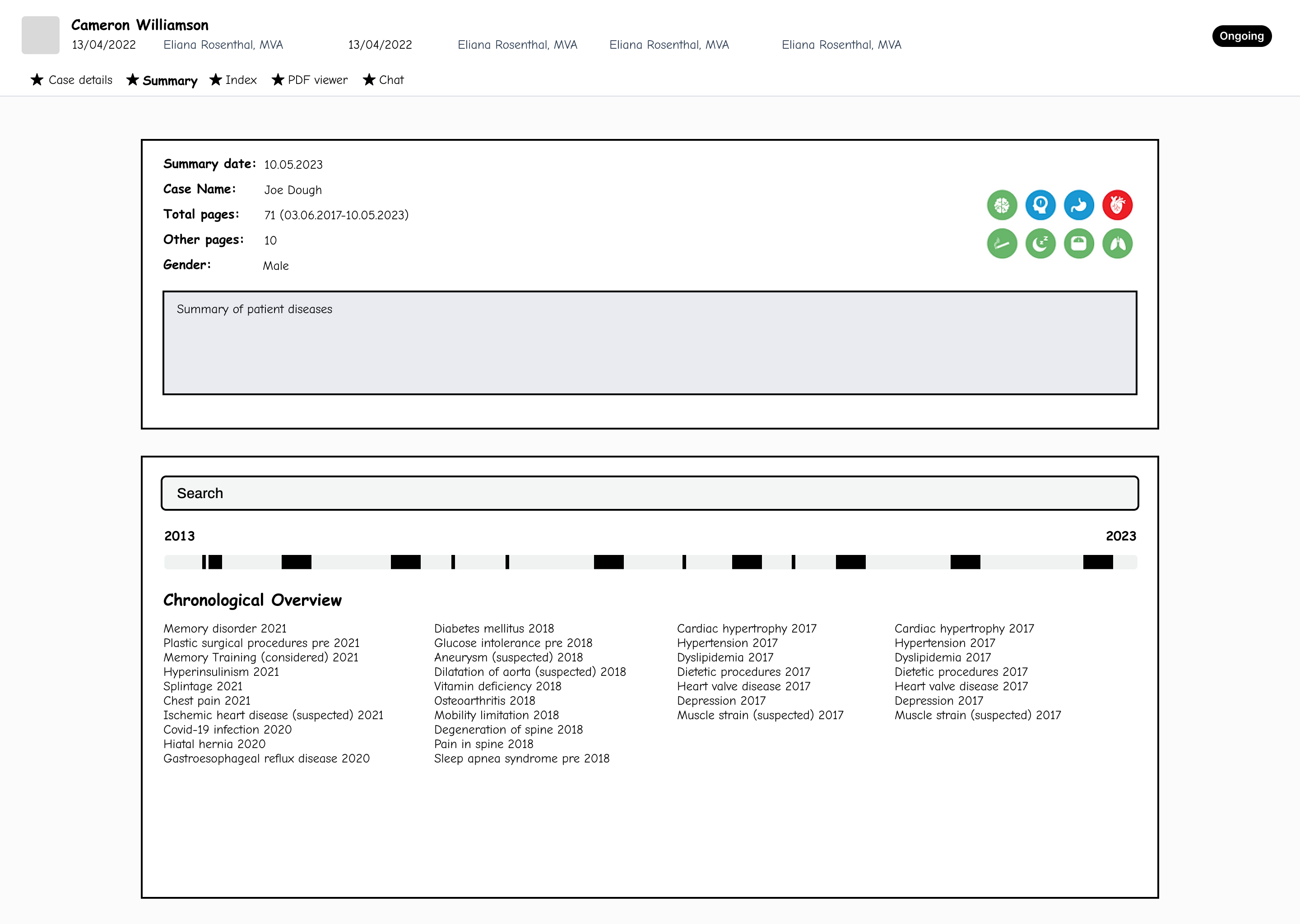
High-level Service Flow
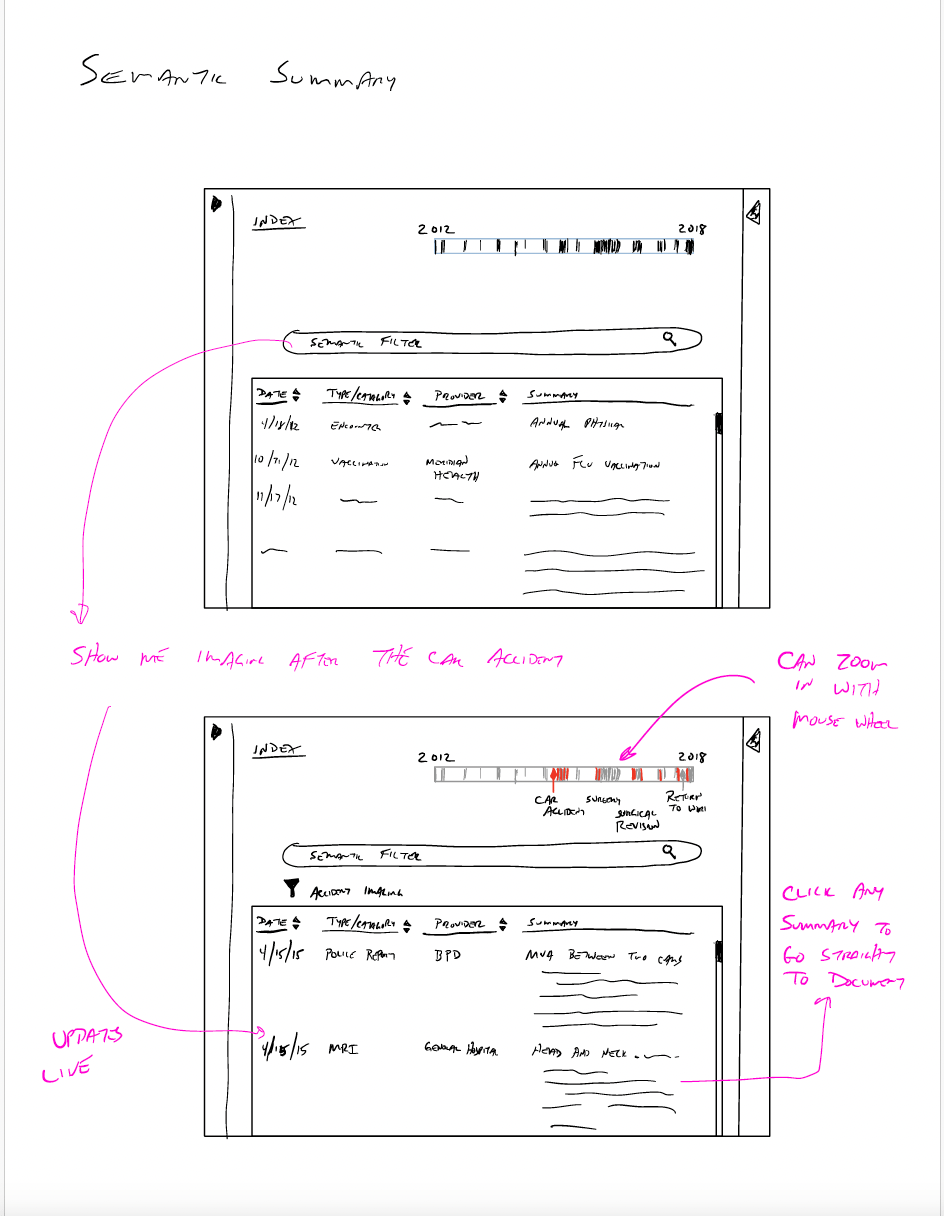
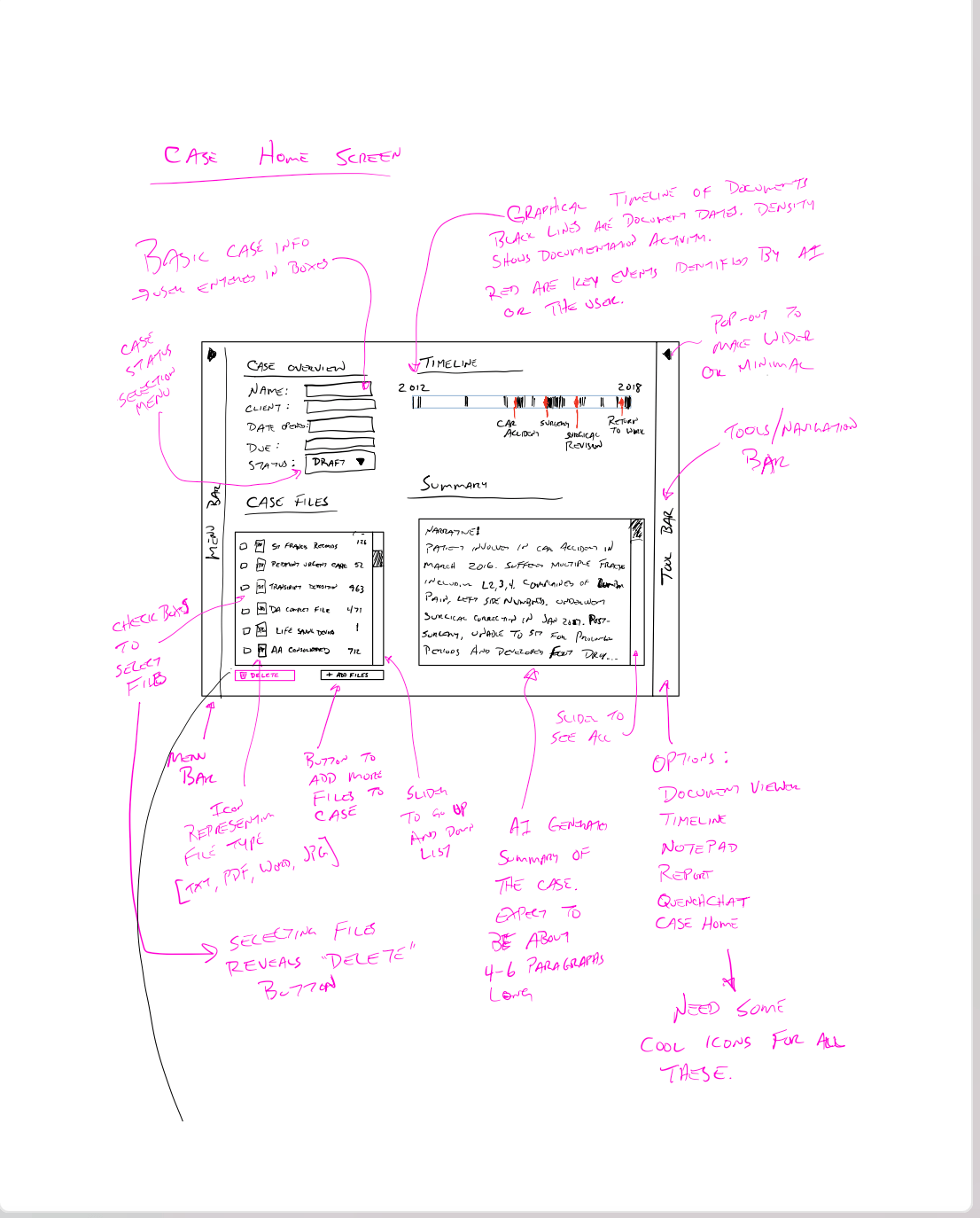
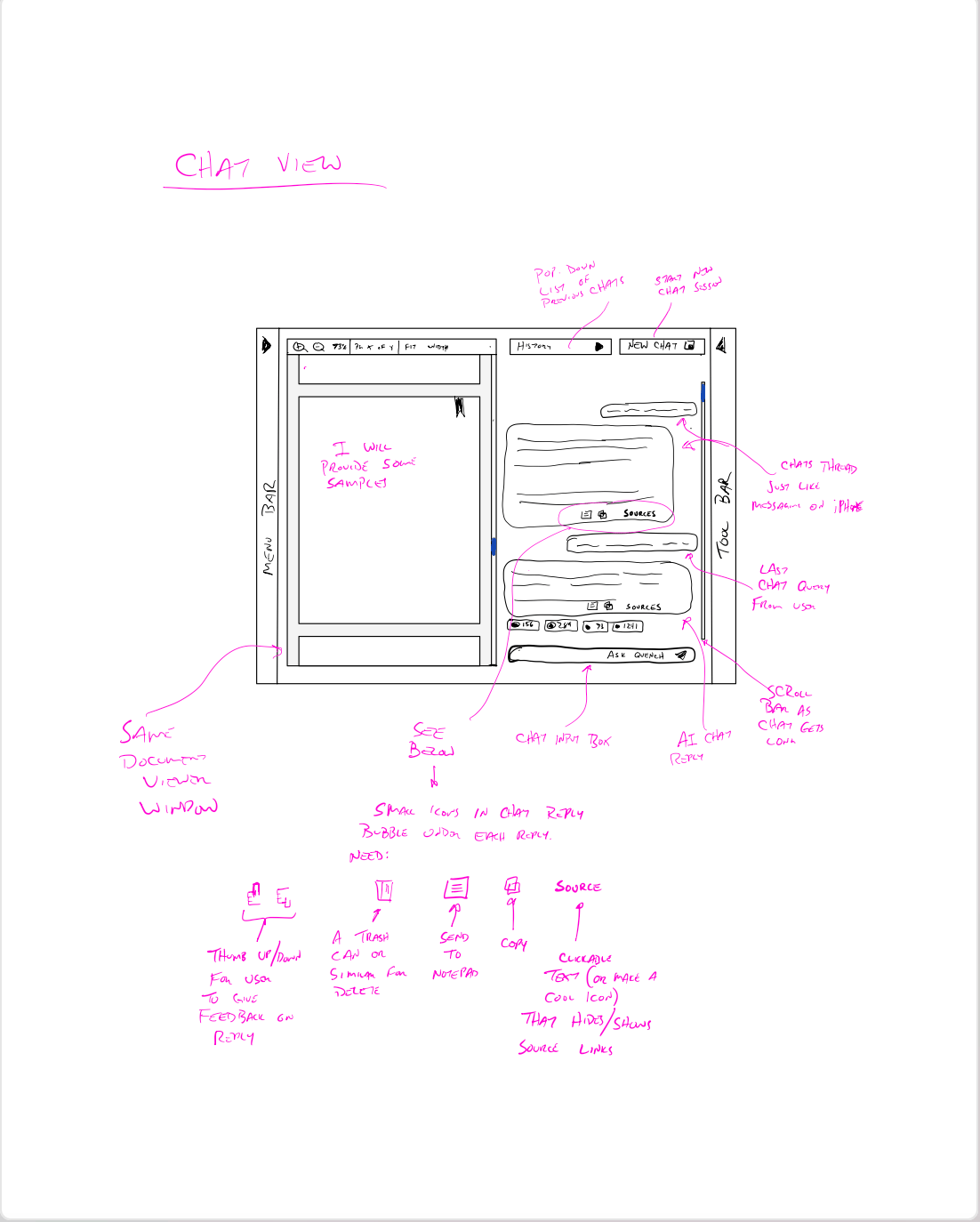
Client’s Sketches
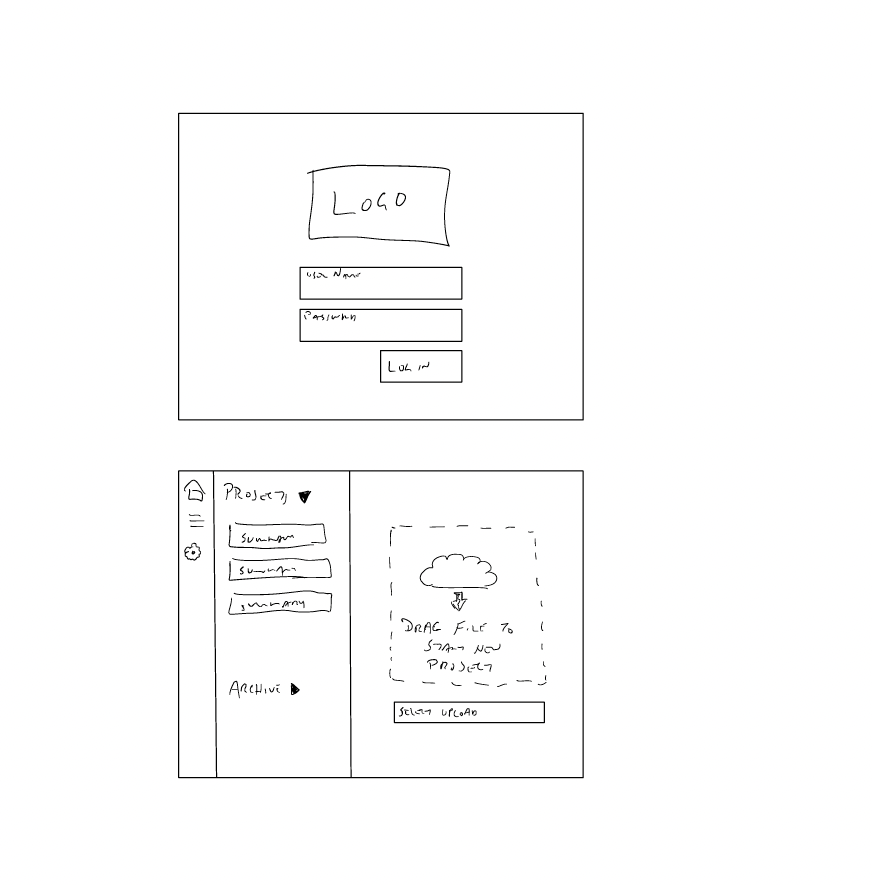
Wireframes
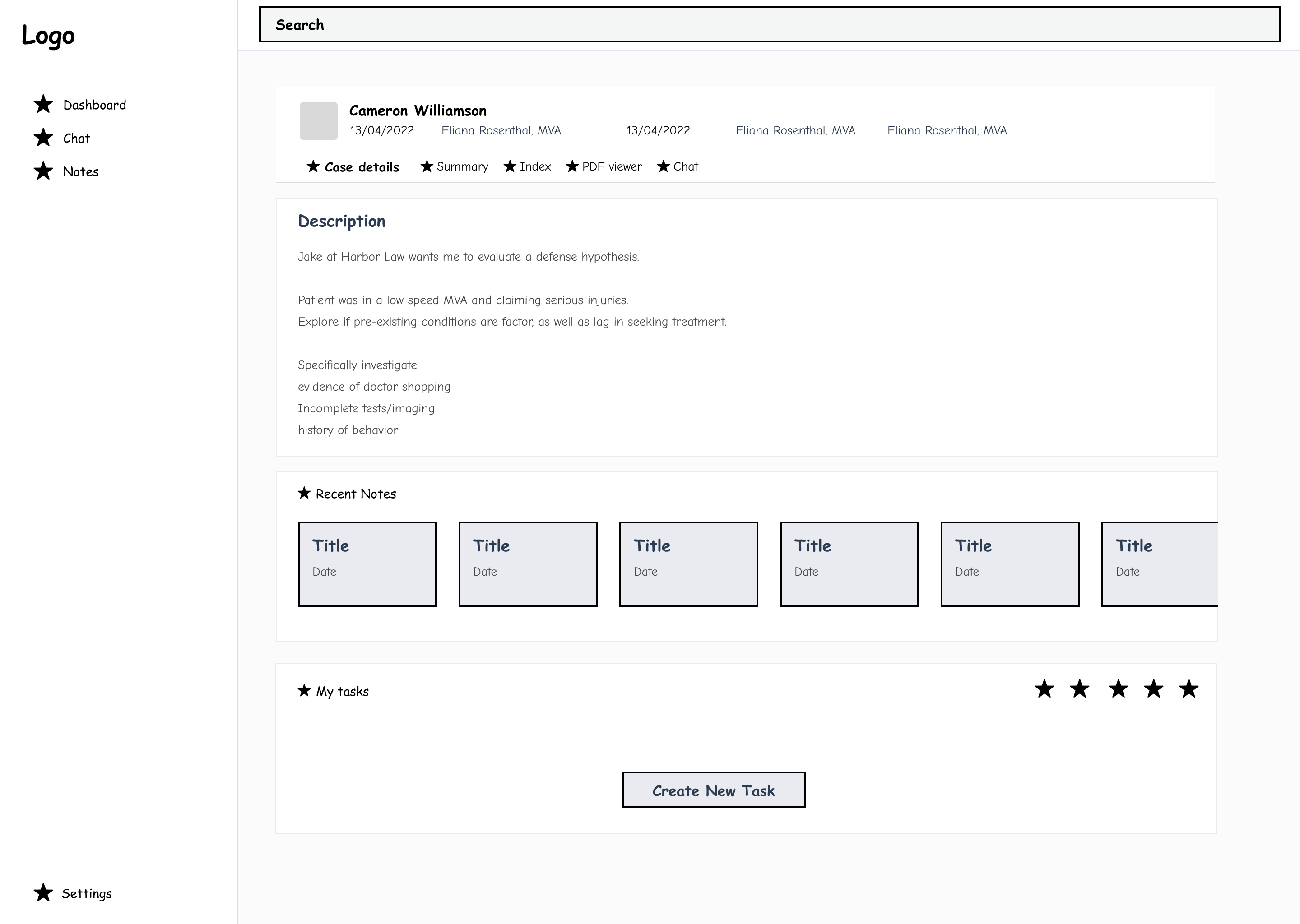
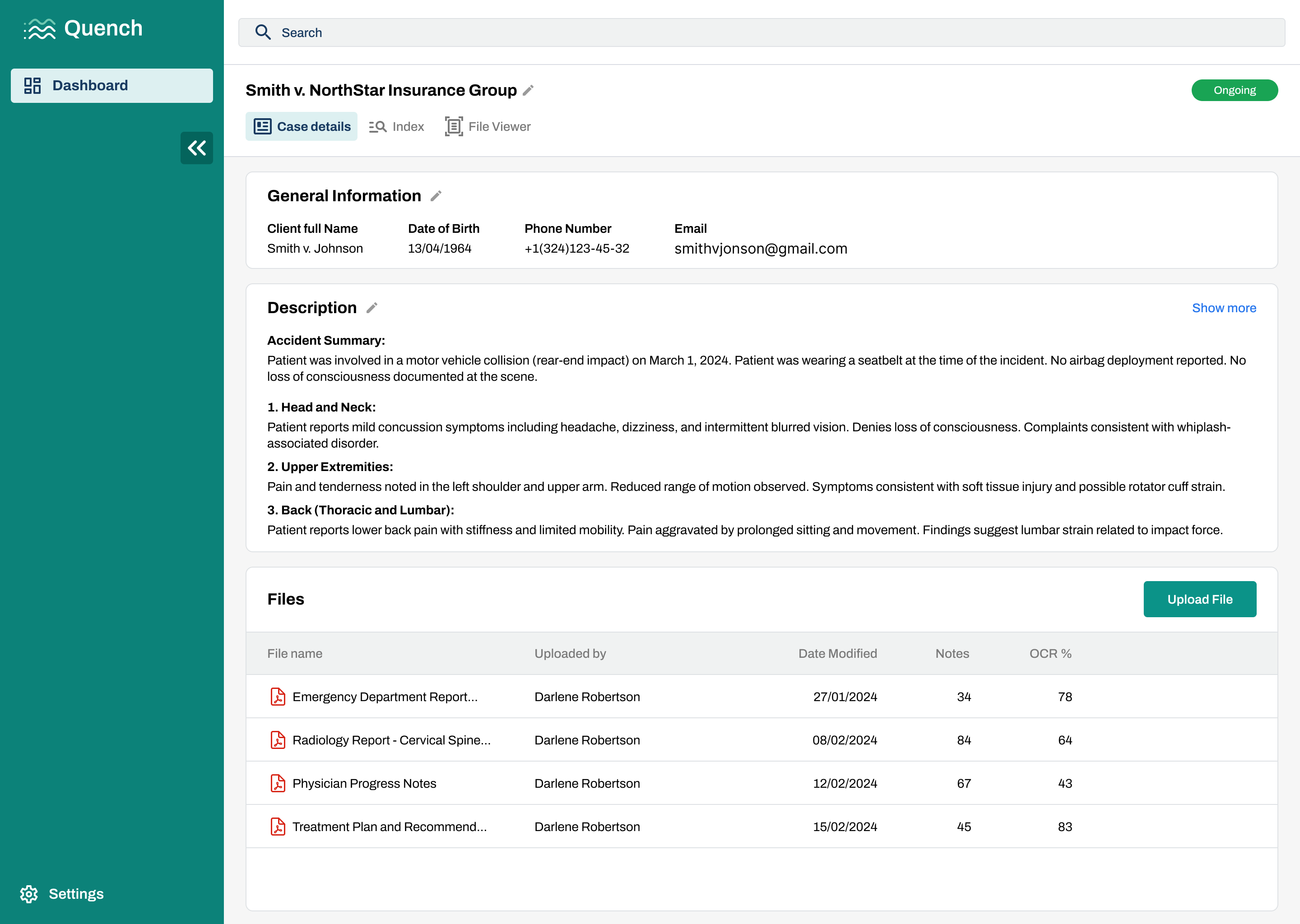
Case Details
Problem Statement
Legal Nurse Consultants needed to review complex medical records and quickly understand key case details. Information was scattered across multiple documents, making the process slow, overwhelming, and difficult to verify.
Solution
I designed a centralized Case Details screen that organizes key information in one place:
- Clear case summary with essential client details
- Structured overview of medical information
- Easy access to all related documents
- Direct connection between summaries and source files
Impact
- Reduced case review time by ~30–40%
- Decreased time spent searching for information by ~40%
- Improved information clarity, reducing user errors by ~20%
- Increased user confidence in verifying insights
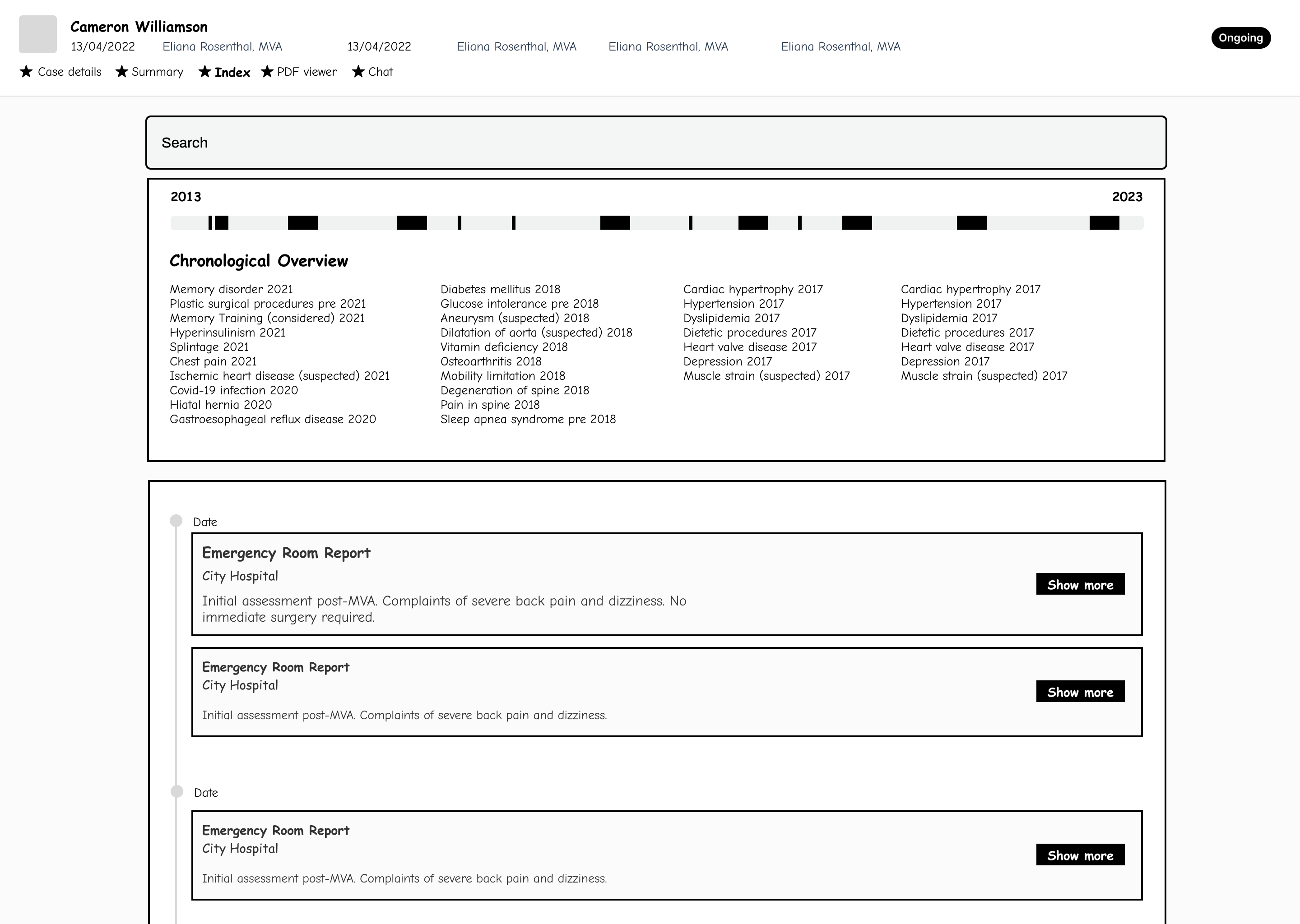
Chronological Timeline
Problem Statement
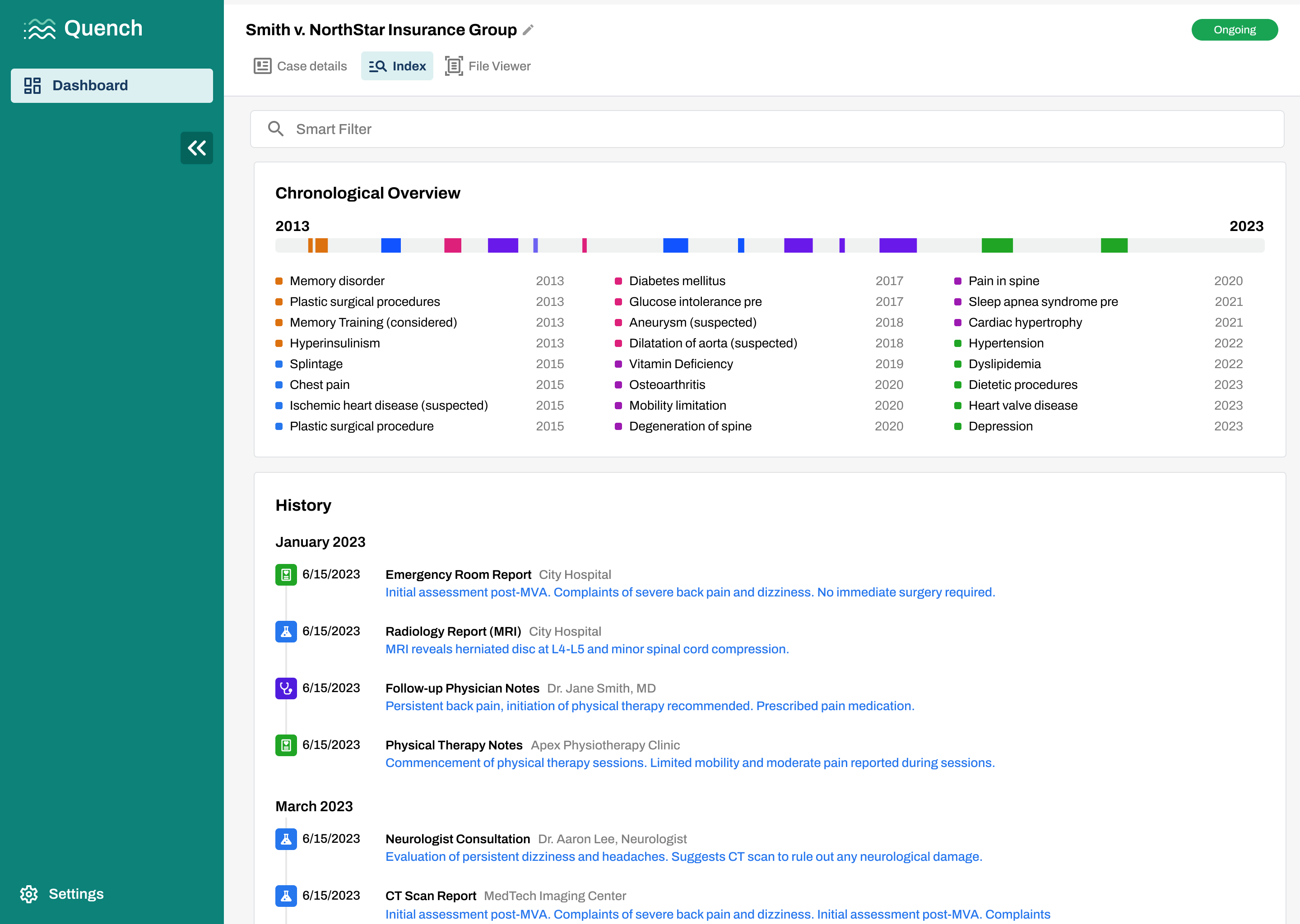
Legal Nurse Consultants needed to understand patient history across hundreds of pages of medical records. However, events were scattered across documents, making it difficult to track timelines, identify patterns, and connect related conditions over time.
Solution
I designed a Chronological Timeline view that organizes medical events into a clear, time-based structure:
- Visual timeline of key events across years
- Color-coded conditions for quick pattern recognition
- Detailed history list with summaries and sources
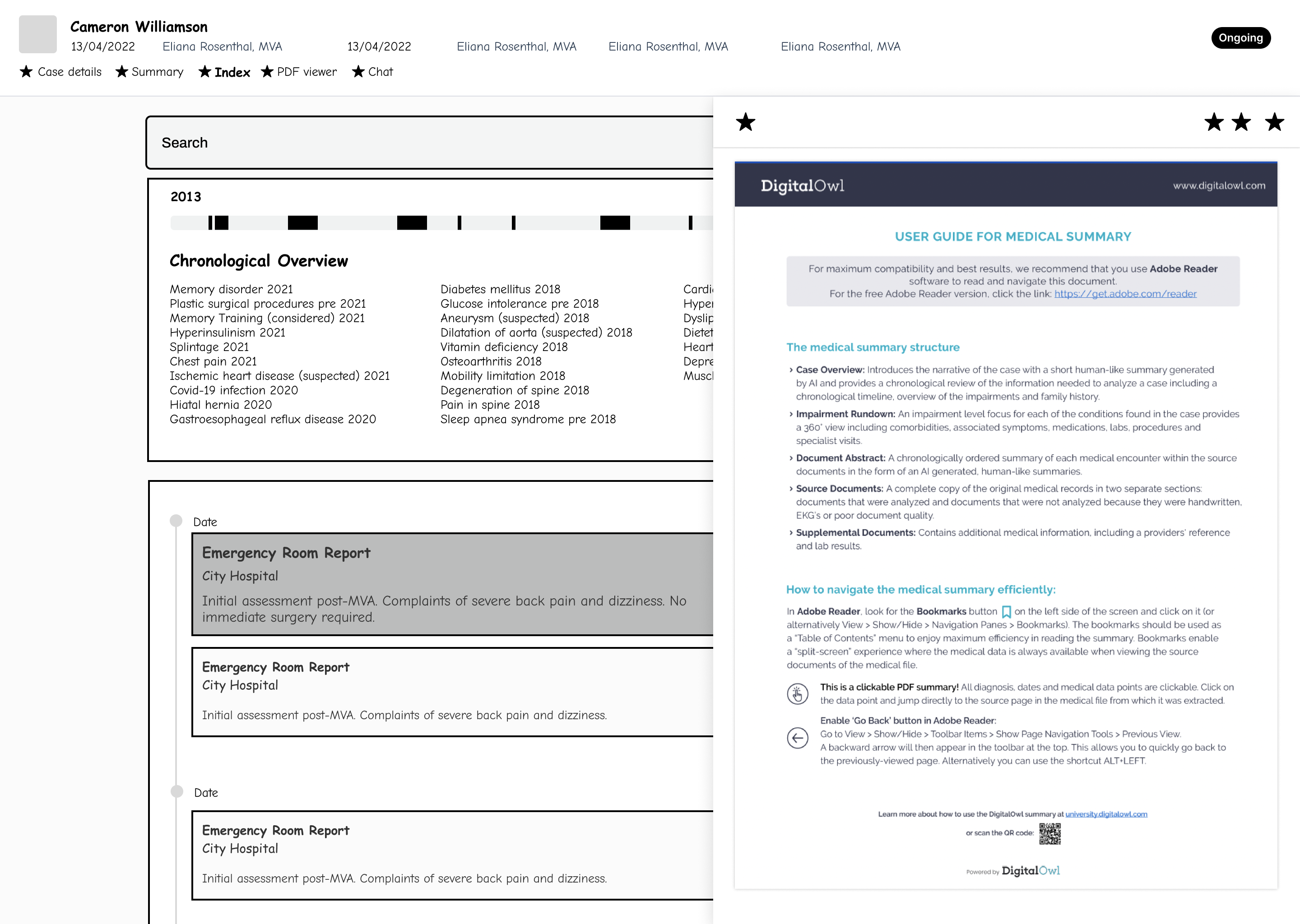
- Quick navigation between timeline and documents
Impact
- Reduced time to understand patient history by ~35%
- Improved ability to identify patterns and key events by ~40%
- Decreased time spent navigating between documents by ~30%
- Increased confidence in building case narratives
Research
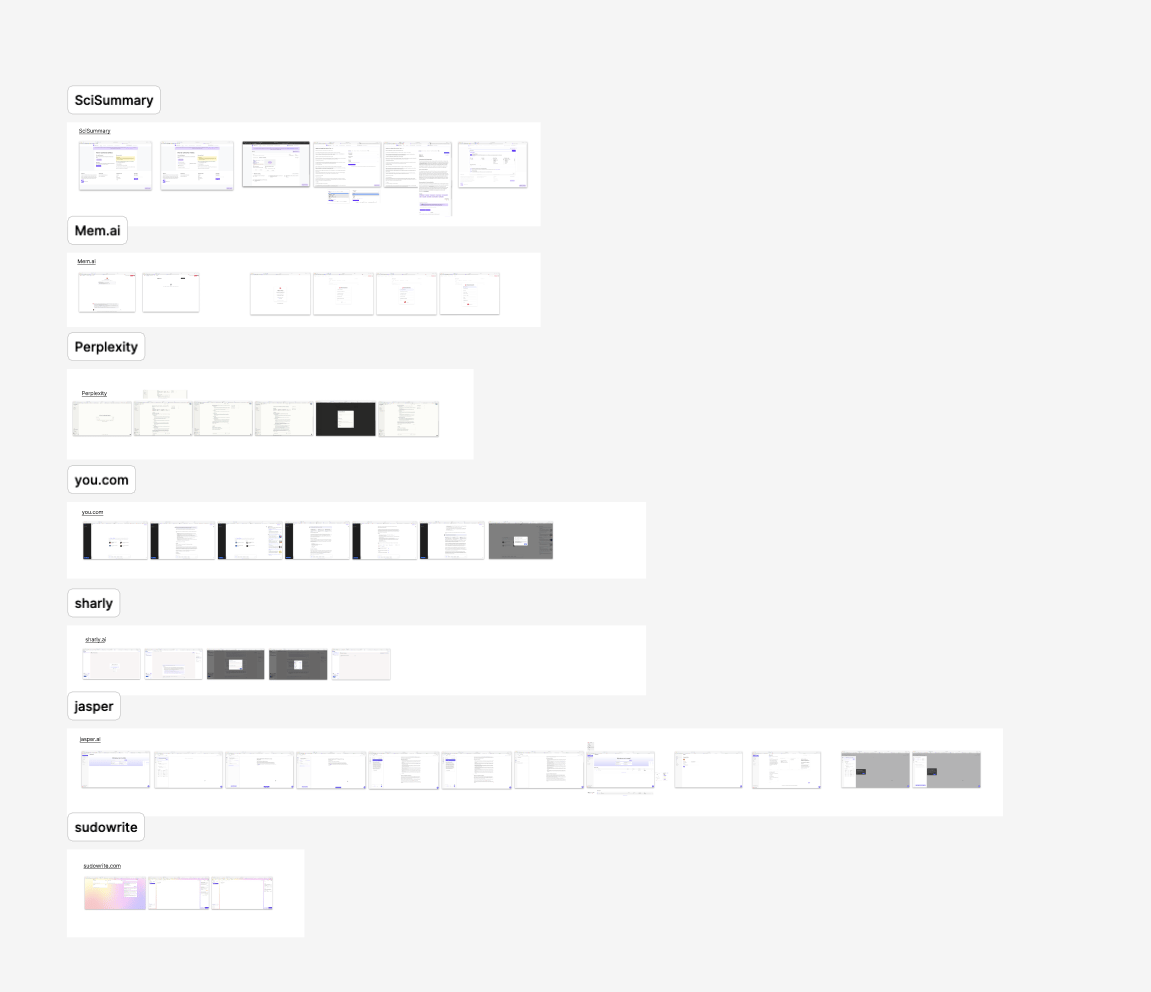
To understand how AI assistants support complex document workflows, I analyzed next tools:
- Adobe Reader
- Kindle
- SciSummary
- Mem.ai
- Perplexity
- You.com
- Sharly
- Jasper
- Sudowrite
I focused on how these tools structure information, present sources, and guide users through long-form content.
Research Conclusions
Intention
AI performs better when user intent is clear. Systems that guide users (e.g., summarize, extract, analyze) reduce ambiguity and improve output relevance.
Sources
Users need clear, clickable references to original documents. Trust increases when every insight is traceable to a specific location in the file.
Pages
Navigation by pages remains critical in long documents. Users rely on page-level references to verify insights and maintain orientation within large files.
Notes
Notes work best when they are directly linked to document context (e.g., tied to pages or sections), allowing users to quickly revisit and validate information.
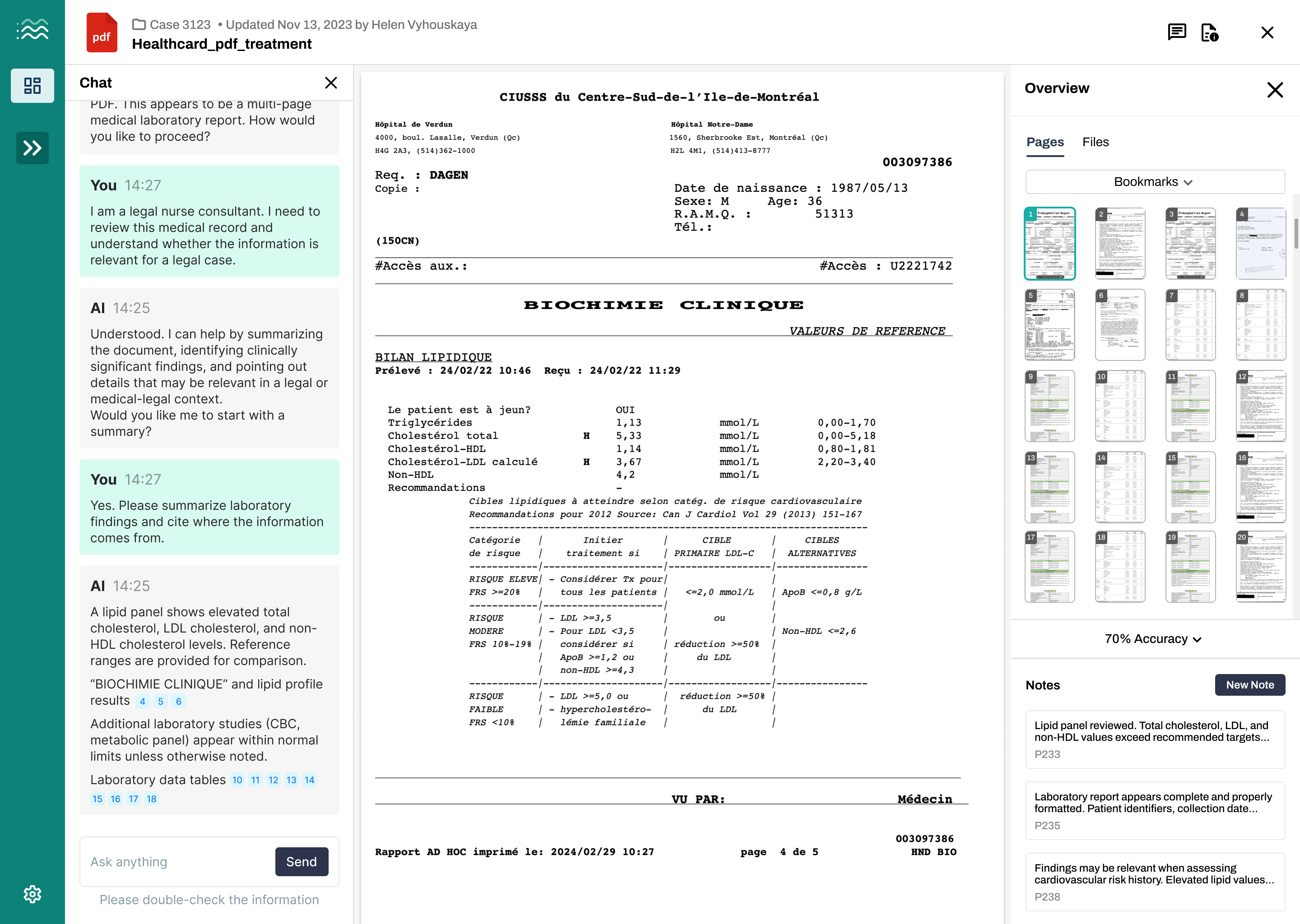
Based on these insights, I designed an AI-assisted Document Viewer that connects AI outputs directly to document sources, pages, and notes—reducing cognitive load and enabling faster, more reliable document analysis.
AI-assisted Document Viewer
Problem Statement
Legal Nurse Consultants needed to review lengthy medical documents and extract relevant insights for legal cases. This process required manually scanning hundreds of pages, making it time-consuming and difficult to verify findings against the original source.
Solution
I designed an AI-assisted document viewer that supports faster and more reliable review:
- AI chat to summarize and highlight relevant medical insights
- Direct citations linking insights to exact document pages
- Side-by-side view of document, notes, and AI responses
- Page navigation with thumbnails for quick access
Impact
- Reduced document review time by ~40–50%
- Decreased manual scanning effort by ~45%
- Improved traceability of insights with source citations
- Increased user confidence in AI-assisted analysis
Design System
Conclusions
This project demonstrated how thoughtful design can make AI tools more practical and reliable for real-world use. By focusing on clear structure, source visibility, and simple navigation, the solution helped reduce document review time by ~30% and improved users’ ability to locate source information by ~40%.
The MVP also reduced cognitive load by simplifying how information is presented and verified, leading to faster decision-making and increased confidence when working with complex documents.
Next Steps
Following the MVP release, the next phase focuses on improving usability and expanding functionality:
- Improve AI accuracy and consistency based on user feedback
- Add guided actions to help users interact with AI more effectively
- Enhance navigation and document exploration features
- Improve note-taking and organization capabilities
- Expand support for multiple documents and deeper analysis
- Continue user research to refine the experience and reduce friction